

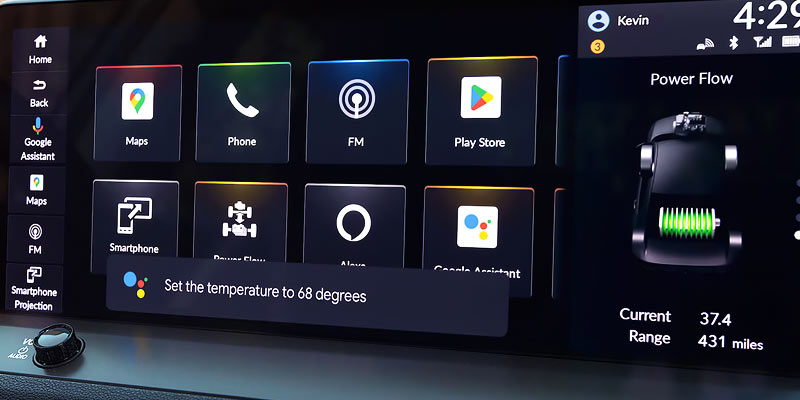
It’s a good idea to set up Honda Apple CarPlay or Android Auto when you get a new vehicle. It lets you make the most of the car’s technology and access tons of convenient features. It’s simple to set up, so let’s see how it’s done.
Wired CarPlay
Plug your iPhone charger into your smartphone and a USB port in your vehicle with a USB port with a graphic of three prongs above it. When text appears on your infotainment screen, select “yes.” You may have to give CarPlay permissions to access certain things on your iPhone, and you have to approve these requests for it to work. Your phone may also ask you if you’d like to use the feature wirelessly instead, and you can choose whether or not to do that.
Wireless CarPlay
Select the CarPlay icon on your infotainment system’s home screen, then click “connect phone,” “connect new device,” and “search for devices.” The name of your iPhone will appear as long as your iPhone has Bluetooth turned on, tap the name of your phone on your infotainment screen, and check the pairing code on the infotainment screen and your smartphone to make sure they match. Select “pair” if they do.
Follow the prompts on your infotainment screen, sync your smartphone’s contacts with the system when a prompt appears on your smartphone screen, and allow any permissions the vehicle or smartphone ask you to allow.
Wired Android Auto
Plug your smartphone into a USB port with an image of three prongs above it using your phone charger. Select “yes” when you see the on-screen prompt, and grant all permissions that appear on the screen of your information system and smartphone. Your phone might ask if you want to use Android Auto wirelessly, which you can choose to do if you’d like.
Wireless Android Auto
Head to the “Android Auto” app on your infotainment system’s homescreen and select it. Click “connect phone,” then “connect new device,” and finally, “search for devices.” Click the name of your phone on the infotainment screen. Make sure the pairing code on the system and your phone match, then tap “pair.” Some prompts may appear on each screen asking you to grant permissions and sync information between the devices. Approve all of these.
Are you interested in buying a Honda with Android Auto or Apple CarPlay? Come see our stock at Rick Roush Honda in Medina, OH.
Image via
Connect with us


- July 2026
- June 2026
- May 2026
- April 2026
- March 2026
- February 2026
- January 2026
- November 2025
- October 2025
- September 2025
- August 2025
- July 2025
- June 2025
- May 2025
- March 2025
- February 2025
- January 2025
- October 2024
- September 2024
- August 2024
- July 2024
- June 2024
- May 2024
- April 2024
- March 2024
- February 2024
- January 2024
- December 2023
- November 2023
- October 2023
- September 2023
- August 2023
- July 2023
- June 2023
- May 2023
- April 2023
- March 2023
- February 2023
- January 2023
- December 2022
- November 2022
- October 2022
Archives
- 2023 Honda CR-V
- 2023 Honda Lineup
- 2023 Honda models
- 2024 Honda Models
- 2025 Honda Models
- Accord
- Asian Restaurants
- bakery
- breakfast
- Civic
- Cleveland Zoo
- CR-V
- Food
- Holiday
- Honda
- Honda Dealership
- HR-V
- Medina, OH
- Mexican Restaruants
- Ohio National Parks
- Ohio Tourism
- Passport
- Pizza
- Rick Roush Honda
- Service Center
- Shopping
- Uncategorized
- Used Cars